Web Interface
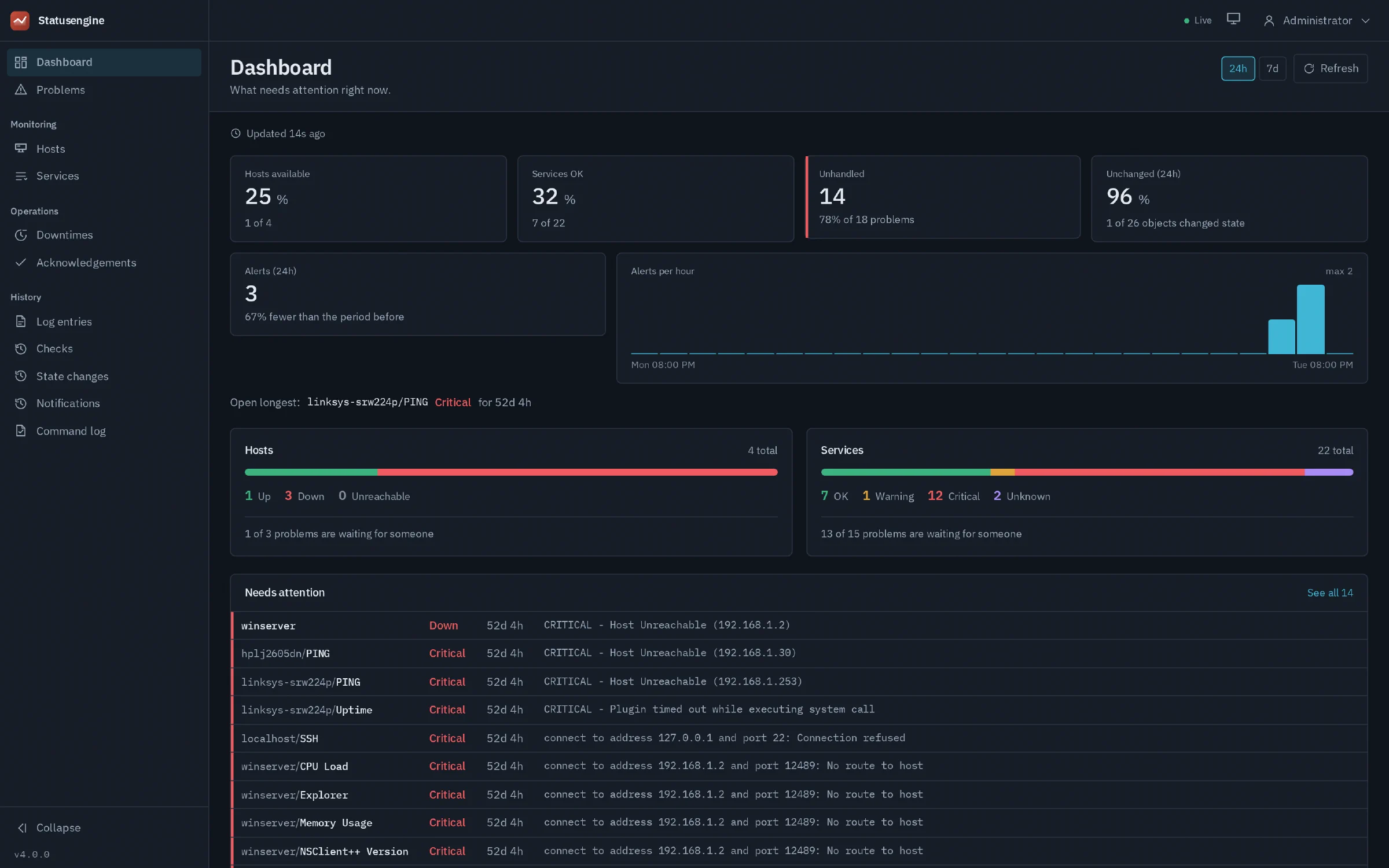
The Statusengine Web Interface, or seid (Statusengine Interface Daemon),
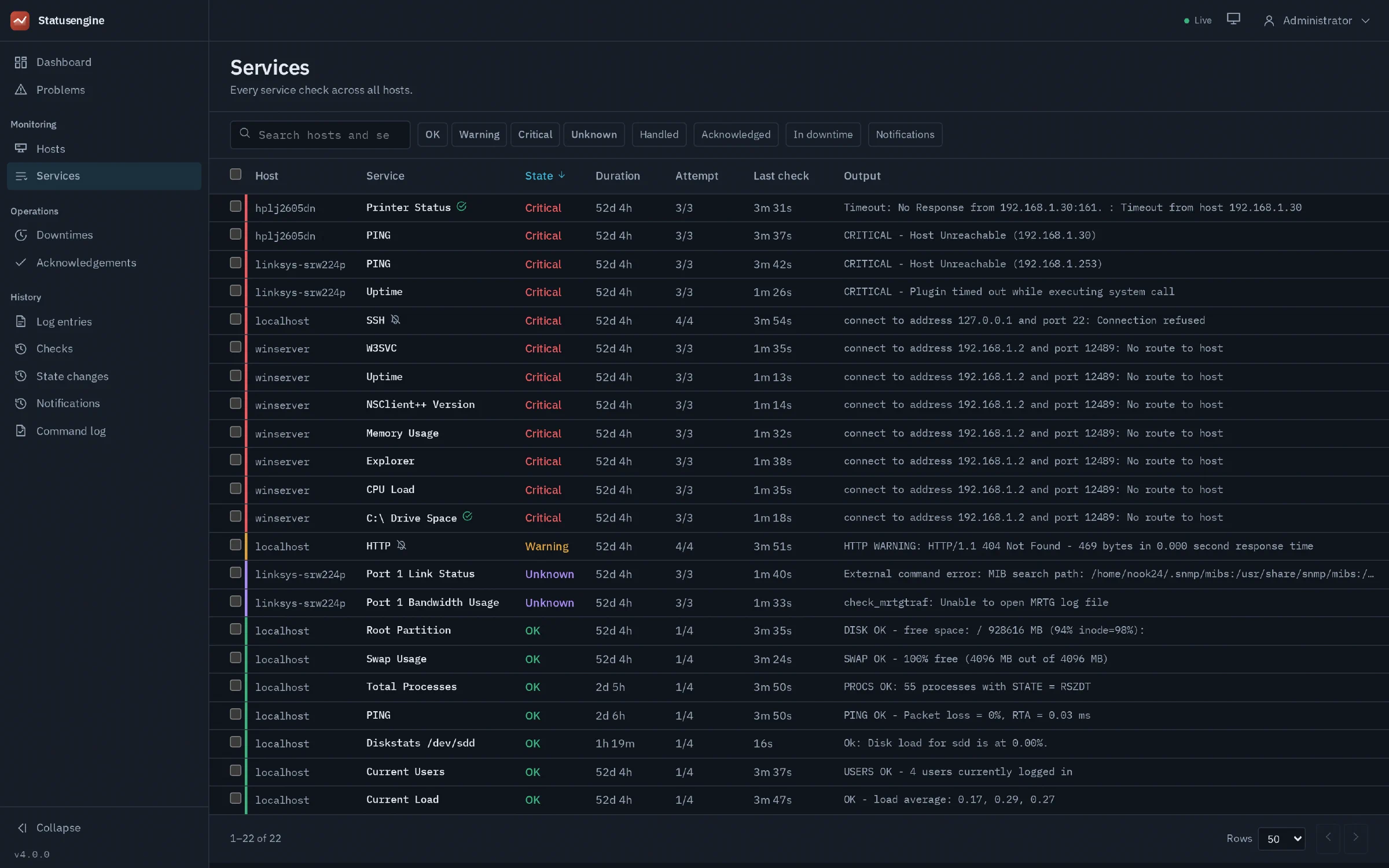
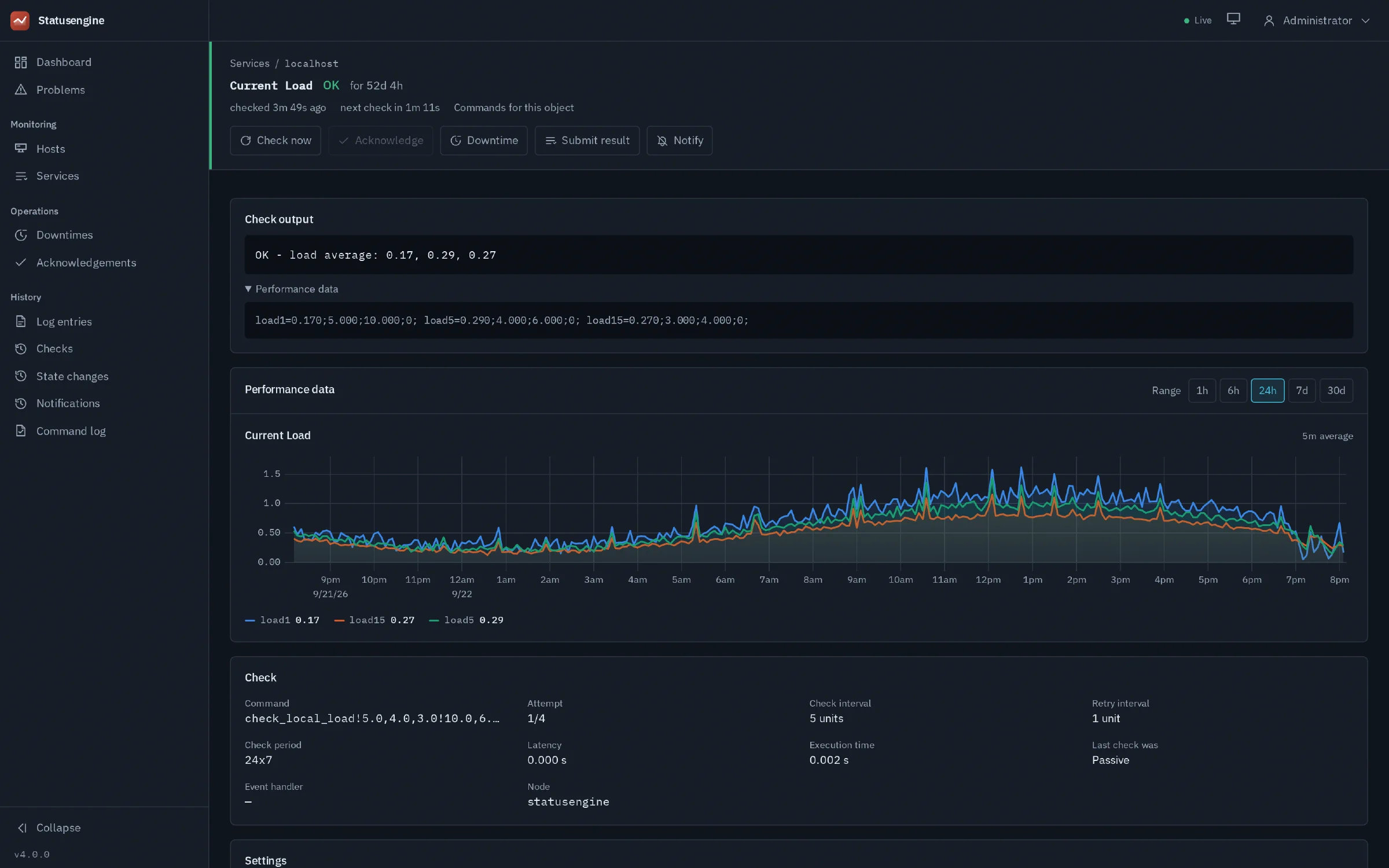
is what people look at. It reads the monitoring
data the worker
writes into MySQL, and sends external commands
back through the worker so operators can acknowledge a problem, schedule a
downtime or force a check without touching a command pipe.
It ships as a single binary with the frontend compiled into it. There is no PHP, no web server to configure around it and no build step: download, configure, run. Every page works on a phone, which is where most people read it at three in the morning.
Important
This project is 100% vibe coded. Currently I have no need for the Statusengine Web Interface. I use it primarily as an AI playground. Other then the Statusengine Worker, which is used in production on hundreds of systems. In case you are looking for a human made web interface, take a look at openITCOCKPIT
This is not Statusengine UI. The AngularJS interface that shipped with Statusengine 3 is a different application with its own database expectations and its own installation. It is still documented at Statusengine 3 › Statusengine UI , and installations running it can keep it. The two do not share configuration, accounts or session state.
They do share a repository: statusengine/interface holds this interface
on main, and the old one on
3.x-master
.
The version numbers continue rather than restart - this is a 4.x
interface because it belongs to Statusengine 4, and 3.x belongs to the
one before it.
Requirements
| Component | Requirement |
|---|---|
| Statusengine Worker | The Go worker of Statusengine 4, writing to MySQL |
| Database | The same MySQL 8.0+ or MariaDB 10.5+ the worker writes to |
| Monitoring core | Naemon or Nagios, through the broker module |
| Operating system | Linux, amd64 or arm64. The binary is static |
| Browser | Any current Firefox, Chrome, Edge or Safari |
Nothing else. No PHP, no Composer, no Node.js on the server, no separate web server unless you want one in front for TLS.
Download
Releases are published at
github.com/statusengine/interface
.
Each one carries an archive per platform and a SHA256SUMS file.
VERSION=4.0.0
ARCH=$(uname -m | sed -e 's/x86_64/amd64/' -e 's/aarch64/arm64/')
BASE=https://github.com/statusengine/interface/releases/download/v$VERSION

wget $BASE/seid_v${VERSION}_linux_${ARCH}.tar.gz
wget $BASE/SHA256SUMS
sha256sum -c SHA256SUMS --ignore-missing
$ sha256sum -c SHA256SUMS --ignore-missing
seid_v4.0.0_linux_amd64.tar.gz: OK
Unpack it and check what you got:
tar xzf seid_v${VERSION}_linux_${ARCH}.tar.gz
cd seid_v${VERSION}_linux_${ARCH}
./seid version
The archive holds three files: the seid binary, seid.example.yaml and the
README.
Install
The interface needs a user to run as, a place for its configuration, and nothing else.
sudo useradd --system --no-create-home --shell /usr/sbin/nologin statusengine-interface
sudo install -m 0755 seid /usr/local/bin/seid
sudo mkdir -p /etc/statusengine
sudo install -m 0640 seid.example.yaml /etc/statusengine/seid.yaml
sudo chown root:statusengine-interface /etc/statusengine/seid.yaml0640 with the group set to
the service user is the smallest thing that works.The systemd unit
[Unit]
Description=Statusengine Web Interface
Documentation=https://statusengine.org/docs/interface/
After=network-online.target mysql.service
Wants=network-online.target

[Service]
Type=simple
User=statusengine-interface
Group=statusengine-interface
ExecStart=/usr/local/bin/seid serve -config /etc/statusengine/seid.yaml
Restart=on-failure
RestartSec=5s

# It serves HTTP and talks to MySQL and the worker. Nothing else is needed,
# so nothing else is allowed.
NoNewPrivileges=true
PrivateTmp=true
PrivateDevices=true
ProtectSystem=strict
ProtectHome=true
ProtectKernelTunables=true
ProtectControlGroups=true
RestrictAddressFamilies=AF_INET AF_INET6 AF_UNIX
MemoryDenyWriteExecute=true

[Install]
WantedBy=multi-user.target
Do not enable it yet. It needs a database and an account first.
The database
The interface reads the tables the worker writes (statusengine_*) and
owns five small tables of its own, all prefixed sei_: accounts, roles,
sessions, the schema version and the command audit. It never writes to the
worker’s tables.
Give it its own account rather than reusing the worker’s:
CREATE USER 'statusengine-interface'@'localhost' IDENTIFIED BY 'a long random password';
GRANT SELECT, INSERT, UPDATE, DELETE, CREATE, ALTER, INDEX, DROP
  ON statusengine.* TO 'statusengine-interface'@'localhost';
FLUSH PRIVILEGES;That grant covers the whole database, including the worker’s tables. MySQL only
supports wildcards in database names, not in table names, so there is no
sei_% grant that would let the interface create its own tables while keeping
it out of the worker’s. Restricting it to the five sei_ tables by name works
once they exist, and breaks the next time a release adds one.
The interface does not write to statusengine_* regardless — that is enforced
in the code and checked by its test suite, not by the grant.
The sei_* tables are created on the first start. You can also apply them
separately, which is the better choice if your deployment prefers migrations as
their own step:
sudo -u statusengine-interface seid migrate -config /etc/statusengine/seid.yamlMigrations run under a MySQL advisory lock, so two instances starting at the same moment cannot half-apply a schema.
Configure
Every setting can be given four ways, and they resolve in this order:
command line flag > environment variable > config file > built-in defaultEnvironment variables are the key in upper case with an SEI_ prefix, for
example SEI_LISTEN_ADDR. /etc/statusengine/seid.yaml is the usual place;
the example file that comes with the release documents every setting.
The only required setting is mysql_dsn. A useful minimum adds the two keys
the worker expects:
mysql_dsn: statusengine-interface:a long random password@tcp(127.0.0.1:3306)/statusengine?parseTime=true

worker_command_key: "the key from the worker's config"
worker_events_key: "the other key from the worker's config"
What the settings do
The server
| Key | Default | Meaning |
|---|---|---|
listen_addr | 127.0.0.1:8090 | Where the HTTP server binds. Loopback on purpose: this process holds a key that can drive the monitoring core |
query_timeout | 20s | How long one request may spend in the database |
secure_cookies | false | Turn on when the browser reaches the interface over TLS. Marks the session cookie Secure and sends HSTS |
The database
| Key | Default | Meaning |
|---|---|---|
mysql_dsn | — | Required. user:password@tcp(host:port)/database?parseTime=true |
mysql_max_open_conns | 25 | Pool size |
The worker
| Key | Default | Meaning |
|---|---|---|
worker_command_url | http://127.0.0.1:8081/commands | The worker’s command endpoint. Note the plural |
worker_command_key | empty | Without it, external commands are switched off and the interface says so instead of offering buttons that fail |
worker_events_url | ws://127.0.0.1:8080/ws | The worker’s event stream |
worker_events_key | empty | Without it, the interface polls every 30 seconds instead |
The two keys are different keys on different ports. Take them from the worker’s own configuration:
# Grants reading the event stream -> worker_events_key
api_keys:
  - a-key-for-the-interface

# Grants controlling the monitoring core -> worker_command_key
command_api_keys:
  - a-different-key-for-the-interface
The worker keeps the two lists separate on purpose, with no overlap in either direction: one grants reading events, the other grants controlling the monitoring core.
Performance data
| Key | Default | Meaning |
|---|---|---|
metrics_provider | mysql | Reads statusengine_perfdata. graphite is not wired up yet |
Create the first account
There is no default administrator and no default password. Make the first one by hand:
sudo -u statusengine-interface seid user create \
  -config /etc/statusengine/seid.yaml \
  -username admin -role admin
Omitting -password prompts for one, which keeps it out of your shell history.
| Subcommand | What it does |
|---|---|
seid user create -username x -role admin | Create an account. Roles: admin, operator, guest |
seid user passwd -username x | Set a new password, and end that user’s sessions |
seid user role -username x -role operator | Move an account to another role |
seid user list | List the accounts |
What the three roles can do:
| Role | Reads | External commands | Command log | Accounts |
|---|---|---|---|---|
admin | everything | all | yes | manages them |
operator | everything | all | yes | no |
guest | monitoring data | none | no | no |
Passwords are hashed with argon2id. The session cookie carries a random token
and the database stores only its SHA-256, so a dump of sei_sessions is not a
set of live credentials.
Start it
sudo systemctl daemon-reload
sudo systemctl enable --now statusengine-interface
sudo systemctl status statusengine-interface
$ curl -s localhost:8090/api/v1/readyz
{"status":"ok","checks":{"mysql":"ok","worker_commands":"configured","worker_events":"configured"}}
/api/v1/healthz answers as soon as the process is up; /api/v1/readyz also
says whether the database and the worker are reachable, which is the one to
point a health check at.
The log says what is on and what is not:
level=INFO msg="listening" addr=127.0.0.1:8090
level=WARN msg="external commands are disabled: set worker_command_key to enable them"
Put it behind a web server
The interface binds to loopback by default, which means something has to sit in front of it to terminate TLS. Both examples below pass the event stream through unbuffered — without that, live updates arrive in bursts of several minutes.
server {
    listen 443 ssl;
    server_name monitoring.example.org;

    ssl_certificate     /etc/letsencrypt/live/monitoring.example.org/fullchain.pem;
    ssl_certificate_key /etc/letsencrypt/live/monitoring.example.org/privkey.pem;

    location / {
        proxy_pass http://127.0.0.1:8090;
        proxy_set_header Host              $host;
        proxy_set_header X-Real-IP         $remote_addr;
        proxy_set_header X-Forwarded-For   $proxy_add_x_forwarded_for;
        proxy_set_header X-Forwarded-Proto $scheme;

        # The event stream is a long-lived response. Buffering it holds
        # every change until the buffer fills.
        proxy_buffering off;
        proxy_read_timeout 1h;
    }
}<VirtualHost *:443>
ServerName monitoring.example.org
SSLEngine on
SSLCertificateFile /etc/letsencrypt/live/monitoring.example.org/fullchain.pem
SSLCertificateKeyFile /etc/letsencrypt/live/monitoring.example.org/privkey.pem
ProxyPreserveHost On
ProxyPass / http://127.0.0.1:8090/ flushpackets=on timeout=3600
ProxyPassReverse / http://127.0.0.1:8090/
RequestHeader set X-Forwarded-Proto "https"
</VirtualHost>a2enmod proxy proxy_http headers ssl if they are not enabled yet.
Then tell the interface that the browser is on TLS:
secure_cookies: truesecure_cookies only when the browser reaches you over HTTPS. It marks
the session cookie Secure, which means a plaintext deployment stops being able
to log anybody in.The interface honours X-Forwarded-For only when the request arrives from a
loopback or private address, so a header from the open internet cannot forge the
address that rate limits are counted against.
Demo mode
Demo mode offers an account on the login page that signs in with one click. It is how demo.statusengine.org works.
demo_mode: true
demo_user: guest
By default that account can only read, and every command it submits is refused. A deployment that wants visitors to try commands names them one by one:
demo_commands: [acknowledge, downtime, reschedule]
demo_command_rate_limit: 10   # per visitor per minute
demo_max_targets: 25 # objects one command may address| Name | Grants |
|---|---|
acknowledge | Acknowledging a problem, and removing an acknowledgement |
downtime | Scheduling a downtime, and cancelling one |
reschedule | Forcing a check |
submit-result | Submitting a passive check result |
toggle | Switching active checks, passive checks, notifications, flap detection or the event handler |
notify cannot be granted, whatever you write there. A custom notification
mails and pages the real contacts of whatever is being monitored, and a
passwordless account on the open internet must not be able to reach them.The login page lists exactly what it allows, generated from the same configuration the server enforces. If the two disagree, the configuration is not what you think it is.
Two more settings matter when strangers can reach the interface:
audit_client_ip: false      # keep the command log, without visitors' addresses
audit_retention_days: 30    # 0 keeps every command forever
Upgrading
Replace the binary and restart. Pending migrations are applied at startup.
sudo systemctl stop statusengine-interface
sudo install -m 0755 seid /usr/local/bin/seid
sudo systemctl start statusengine-interface
Sessions survive an upgrade; they live in the database, not in memory. The
sei_* schema only ever gains things, and the worker’s tables are never touched
by a migration.
When something does not work
The page says no frontend is bundled
go build of your own.Everything reads fine, but there are no command buttons
worker_command_key is empty, or the worker refuses the key. The startup log
says which:
level=WARN msg="external commands are disabled: set worker_command_key to enable them"
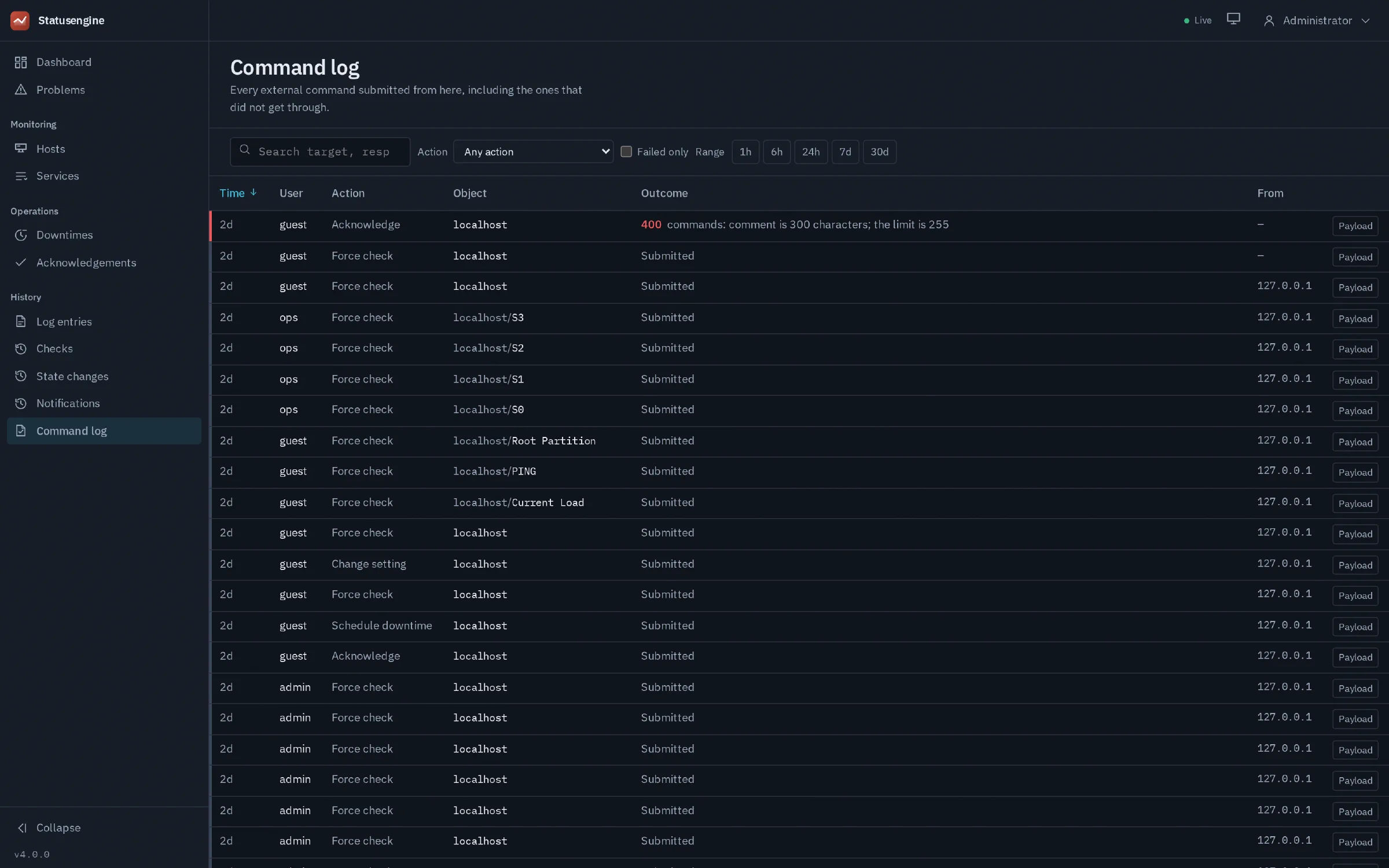
A wrong key shows up when a command is submitted, as 401 missing or invalid API key in the interface’s own Command log page.
The top bar says Polling instead of Live
worker_events_key, the worker is
not reachable at worker_events_url, or something in front is buffering the
response. The interface refetches every 30 seconds in that state, so nothing is
broken — it is just slower to notice a change.A command is accepted but nothing happens
202 means the command reached the message broker, not that the monitoring core
ran it. The interface watches the object for about twelve seconds and then says
either “confirmed” or “submitted, not confirmed”. If it stays unconfirmed, look
at whether the worker is consuming the command queue and whether the core is
running.Everybody is logged out and the login page will not work either
503 rather than 401 in that case precisely so an outage does not
look like an expired login. Check MySQL and the DSN.Comments are refused for containing a semicolon
; and offers no escape, so a semicolon in a
comment would silently shift every field after it. The interface refuses instead
of rewriting what you typed. The same applies to newlines and control
characters, and fields are capped at 255 characters.Uninstall
sudo systemctl disable --now statusengine-interface
sudo rm /etc/systemd/system/statusengine-interface.service /usr/local/bin/seid
sudo rm /etc/statusengine/seid.yaml
The sei_* tables stay behind. Drop them if you are not coming back:
DROP TABLE sei_command_audit, sei_sessions, sei_users, sei_roles, sei_schema_migrations;Nothing the worker wrote is affected.